


What if guide template
What if guide template
Provisional voting requires poll workers to navigate a series of decisions while also explaining the process to a voter who may already be confused or concerned about why they cannot vote normally.
This What if guide template turns complex processes into a clear path, helping poll workers understand what to do and what to say.
The template will help you create a short printable job aid where every provisional voting scenario gets:
- flow charts to help poll workers decide what to do next
- scripts for poll workers to follow so they can speak confidently
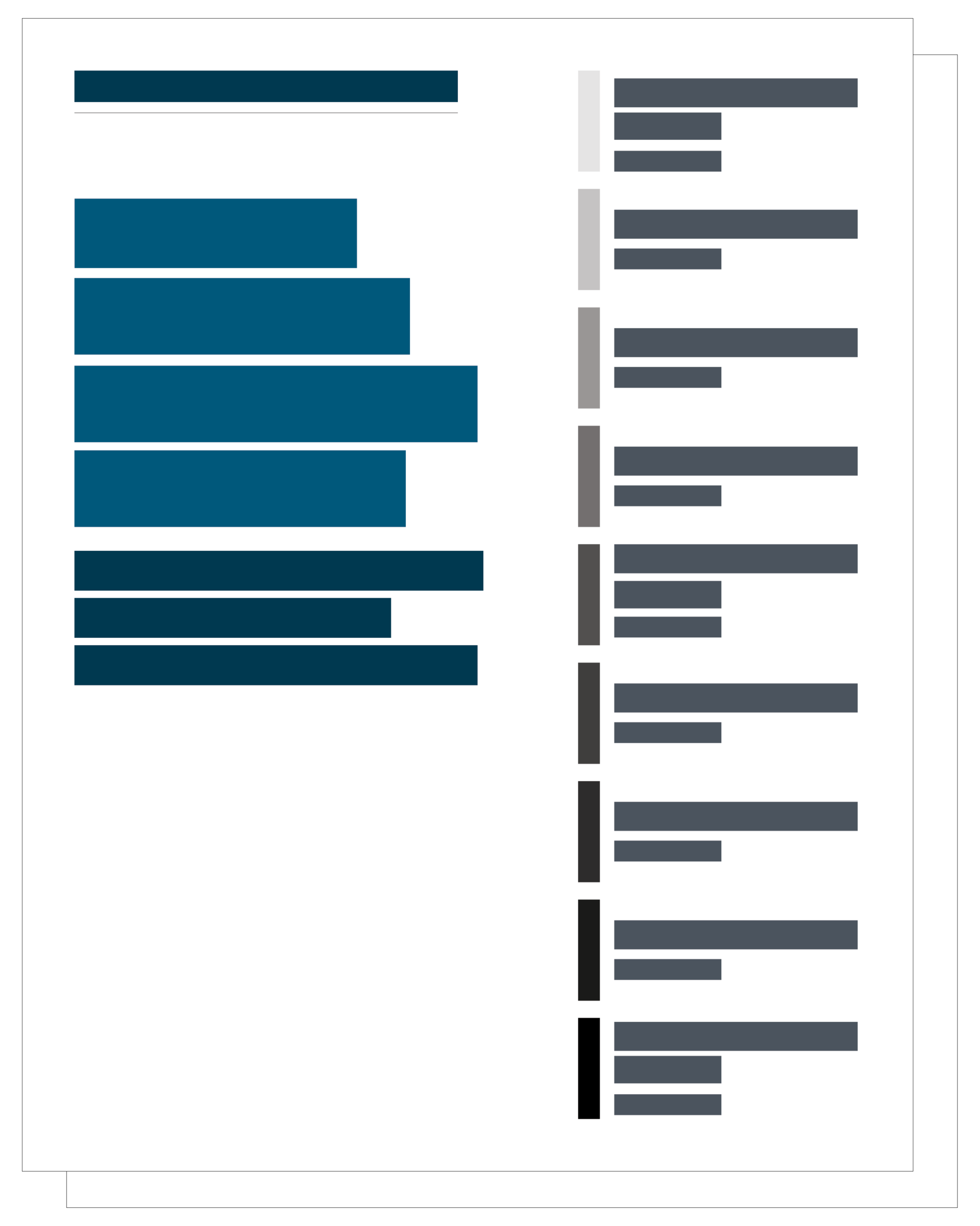
What if guide template
This template is designed in Canva. You will need to create a free Canva account to use it.
New to Canva? Start with the How to Use Canva: A Beginner’s Guide.
Get the template (Canva)Key elements of the what if guide
- Cover
- Contact
- Intro
- Flow chart
Cover
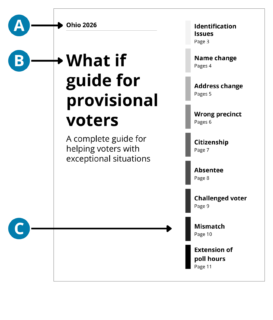
- Start with your state or office name and the year.
- Give it a prominent title so it’s easy to find quickly.
- Create a table of contents on the far side of the page. List each scenario covered in the guide with page numbers.
Contact
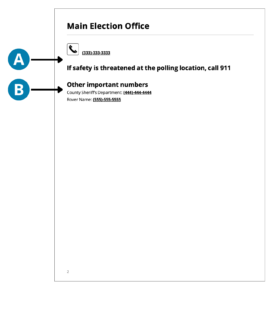
- Make the most important contact information easy to find by using larger font or an icon.
- If there are additional numbers, add them below.
Intro
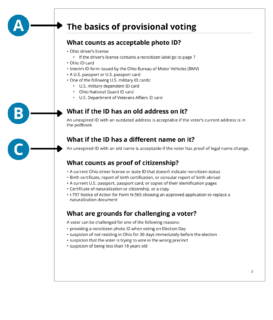
- Put answers to the most frequently asked questions or information that applies to any scenario at the front of the guide.
- Write headings as questions.
- Keep answers short, direct, and action-oriented.
Flow chart
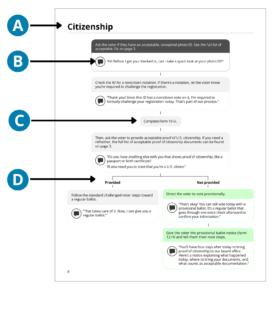
Use flow charts to break down provisional voting procedures into manageable steps. A well-designed flow chart should help a poll worker answer 3 questions quickly:
What do I do?
What do I say?
What happens next?
- Focus on 1 scenario per page.
- Include a short script for each step when poll workers need to explain something to a voter, ask a question, or give instructions.
- Tell poll workers when to complete which form.
- Make it easy to see when the script branches into 2 (or more) directions.
Design tips for creating effective flow charts
Because the reasons for provisional voting vary state-to-state, you will need to create your own pages.
Create one flow chart per scenario
It can be tempting to include all potential provisional voting scenarios in a single flowchart. Too many decisions in one chart can overwhelm readers, especially in a moment where they need to take quick action. A good flow chart should help a poll worker understand what to do at a glance.
The goal is not to document every rule. It is to make the next action clear.
Start with the decision points
Identify the moments when a poll worker needs to make a choice or take an action. Build the flow chart around these decision points rather than trying to map every detail of the process.
Use one action or decision per box
Write steps as short, direct instructions that begin with an action verb, like “Check the voter’s information” or “Ask the voter to complete the form.”
Use a consistent direction, like top-to-bottom or left-to-right
Connect each step with clear arrows, and avoid crossing lines. A poll worker should be able to follow the process without stopping to figure out where to go next. Our template goes top-to-bottom.
Visually separate actions from scripts
If the poll worker needs to say something to the voter, visually distinguish the script from the action. For example, use a speech bubble, quotation marks, or a shaded area for language that the worker can say out loud. This makes it clear which information is for the poll worker and which is intended for the voter.
Design for quick scanning
Assume the poll worker will use the flow chart while actively assisting someone. Use large enough text, generous spacing, short labels, and a clear visual hierarchy. Someone should be able to find their place in the process within a few seconds.
Use color to organize, not decorate
Give each color a specific job in the flow chart. Use the same color meaning throughout the chart. Don’t introduce a new color unless it communicates something new.
Use icons to reinforce meaning
Use simple, familiar icons to help poll workers quickly recognize different types of information or actions. Place icons consistently in the same location within each step so they become visual cues rather than decoration.
How to use this tool
Provide this guide to poll workers who are checking in voters. This resource serves as a quick reference guide to help poll workers guide voters through a variety of unique circumstances that may lead a voter to cast a provisional ballot.
Poll workers can use each decision tree to determine whether or not a voter should vote provisionally. By providing poll workers with scripts for each scenario, we reduce the cognitive load of deciding what to say in an already complex moment.
This tool can also be used during training in role-playing activities to help prepare poll workers.
Editing and printing instructions
There are sections of the What if guide that need to be edited to reflect your county. Edit all text in brackets, like the example here: [Replace your content]
This guide is designed to be printed on 8.5” x 11” paper.

© 2025 Center for Civic Design