


AVR post-transaction mailer
AVR post-transaction mailer
Automatic Voter Registration (AVR) streamlines voter registration for customers at government offices.
This resource is specifically designed for Secure AVR (SAVR) systems. When a person interacts with a government agency, they often submit documents to prove their identity. These documents can reveal whether the customer is eligible to vote. In an SAVR system, the agency sends the information of customers who are eligible to vote to the state’s election office to seamlessly and automatically begin their voter registration process. All of this happens without the customer’s involvement.
Afterward, the voter receives a mailer that says they’re registered to vote, and gives them the opportunity to decline registration. These mailers might also outline next steps to learn about elections, include the opportunity to choose a political party, or even request a mail ballot where applicable.
See our Voter registration modernization design best practices for guidelines about writing clear voter registration instructions and questions for agency transactions.
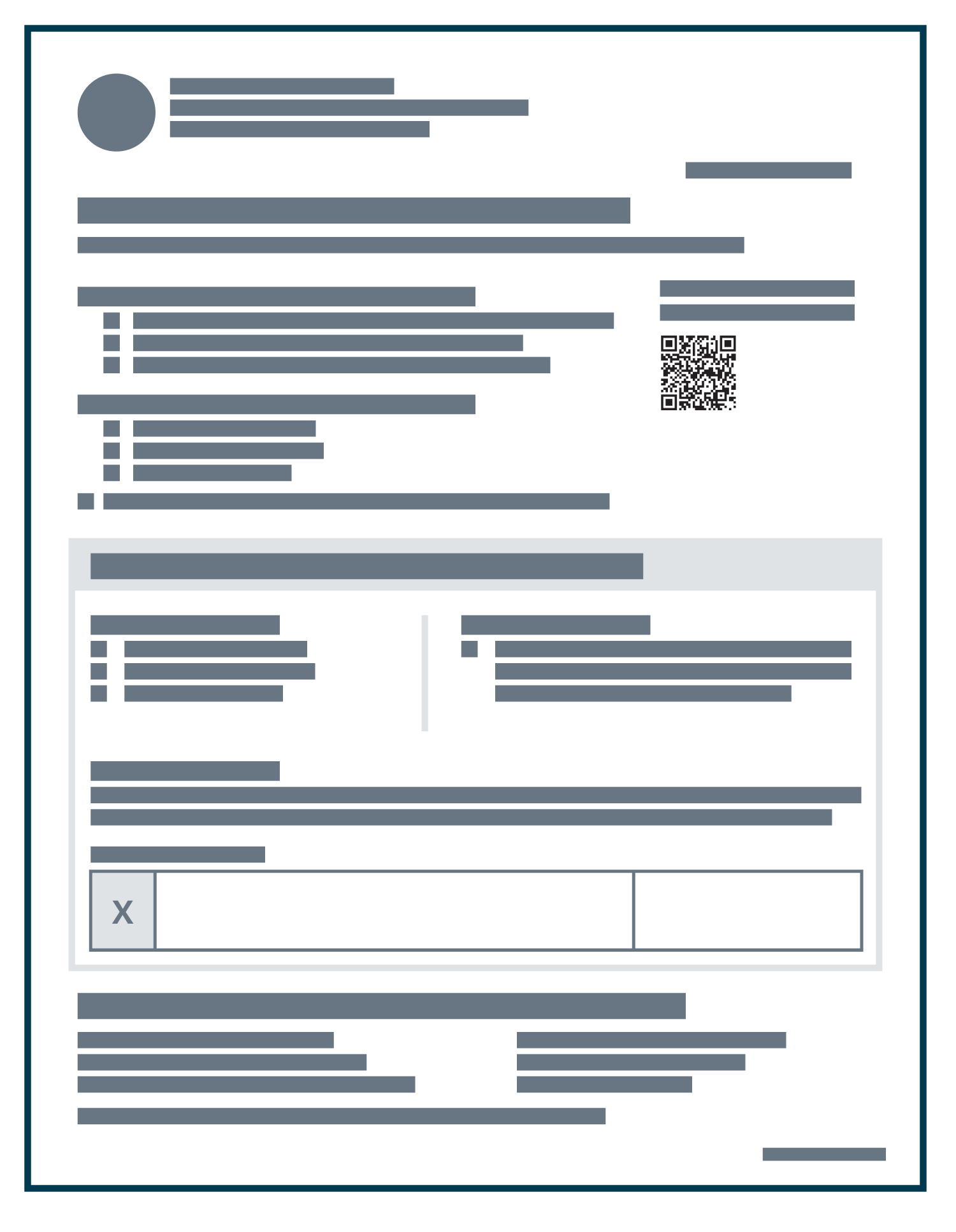
AVR post-transaction mailer
Customize this template to work for your Secure AVR (SAVR) system.
or see this template as a PDF.
Download template (.docx)Key elements of an AVR post-transaction mailer
-
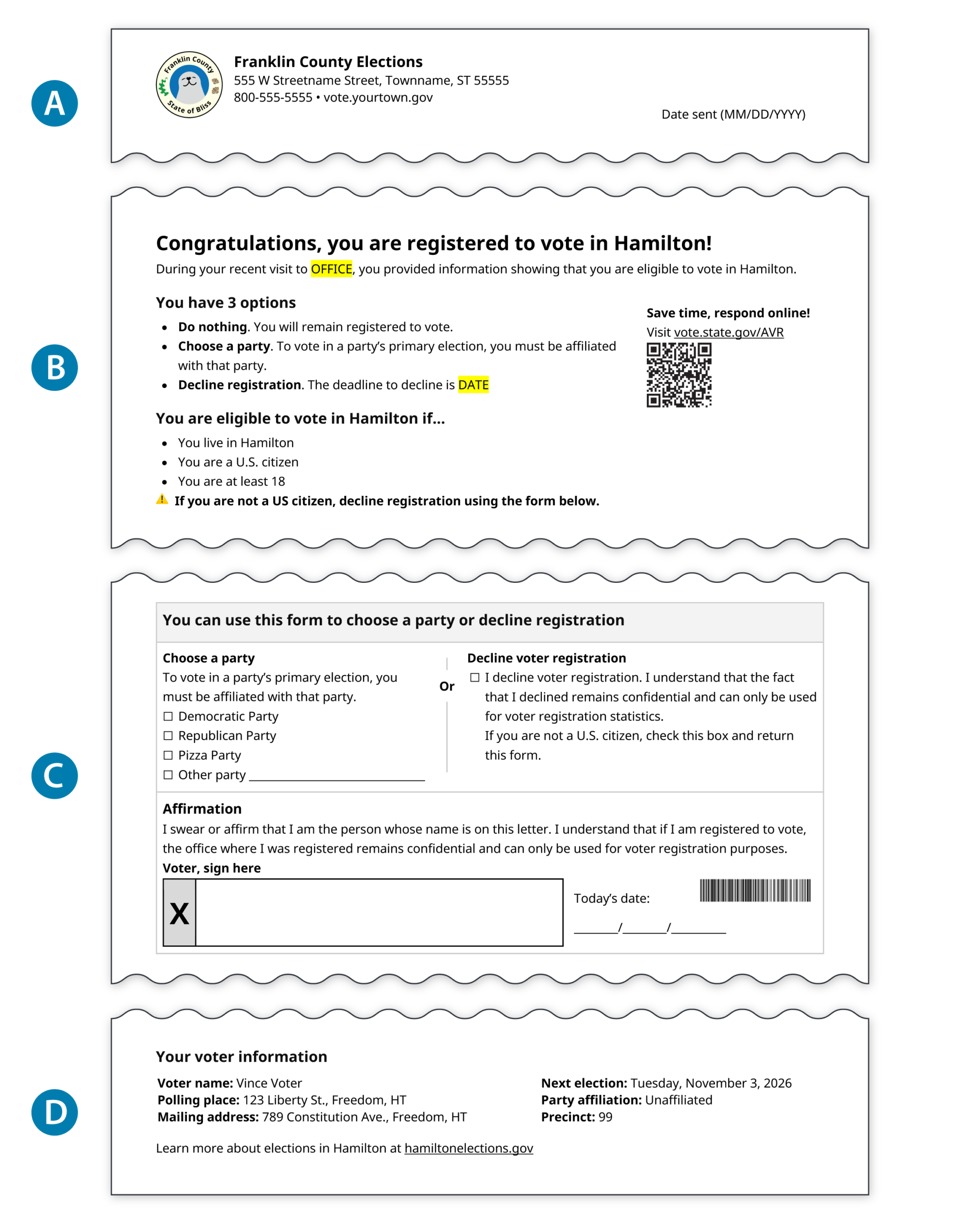
The header
Put your office logo and contact info at the top of the letter so voters recognize that this is official mail. -
Potential actions
Make it clear what the voters can do with the form. -
The form and signature
Place the party affiliation and decline options side-by-side. -
Voter information
Include information about what’s next: voting!
How to write an effective AVR post-transaction mailer
These are our main tips we recommend for writing an effective AVR notice.
Invite voters into the process
Use positive language to congratulate the voter on their registration. In a Secure AVR (SAVR) back-end system, voter registration happens behind the scenes until the voter receives the post-transaction mailer. So, the most important goal of the mailer is to tell the voter that they can now vote!
Make the options and their consequences clear
Voters should be able to quickly understand their choices. Make it easy to scan the notice and understand the outcome of each option. Here are a few things to consider:
- Present all the options in 1 place, ideally using bullets
- Doing nothing is the most common choice. Present it first.
- Explain the consequence of each option, e.g., “When you choose a party, you can vote in their primary elections and help them choose candidates.”
- Position the decline option last. Most people want to remain registered to vote, but might decline if it appears to be the default option.
Include an opportunity to decline if they don’t want to or are ineligible to register
The form section of this mailer also gives voters the opportunity to decline registration. Sometimes, people don’t want to be registered to vote.
The opportunity to decline also helps double-check if people who can’t be registered to vote were included by no fault of their own. The mailer includes a list of voter eligibility requirements written in clear, simple language. The alert is intentionally included twice, in both the notice and the form areas of the mailer. That’s a deliberate choice so that people who are ineligible are more likely to see it.
If it goes onto 2 pages, put the form on the back
You may need to add additional information and legal context to your mailer. If your mailer goes onto multiple pages, keep the notice on the “front” and move the form to the “back”.
Make it easy for your clerks to look up the voter
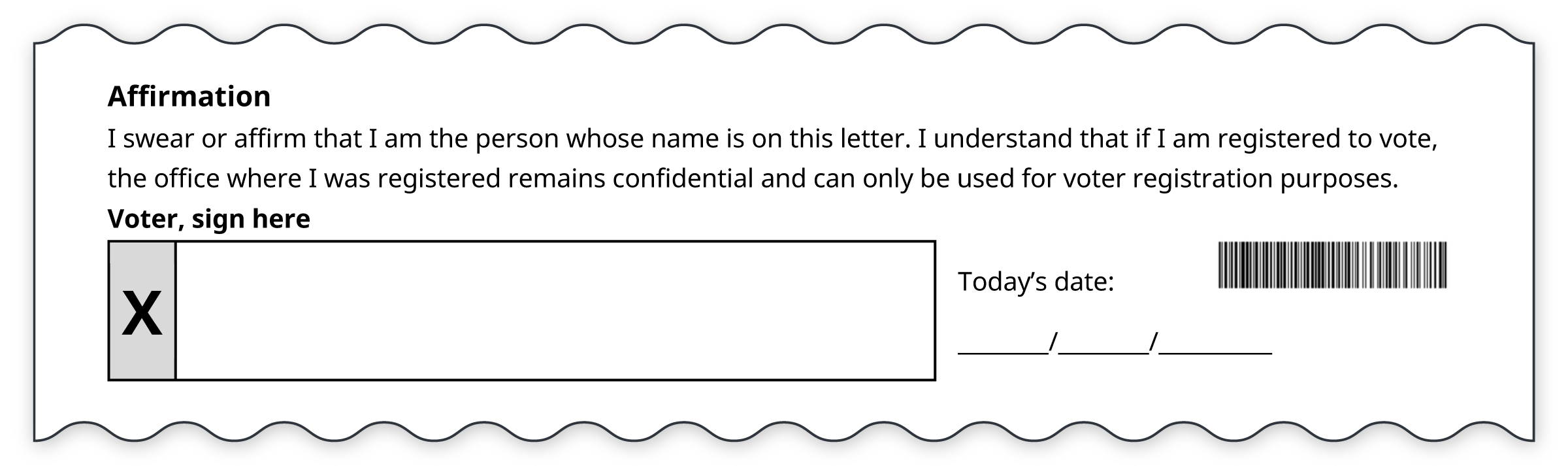
If you use bar codes, include them in the form area. Including a voter record bar code makes it easier to process incoming forms.
If you don’t use bar codes, including the voter’s name in the form area will serve the same purpose.
Customize the mailer to work for you
Depending on your laws and processes, you may need to include more or less content on the mailer. If you add elements, use hierarchy to emphasize the most important actions a voter needs to take.
Depending on your state and if you have space, here are some things you might consider adding
Now that they’re registered, get them ready to vote! If you have space, use this mailer to notify voters about other things:
- A link to where voters can go to learn more about the voting process and upcoming elections
- Information about the next election
- A link to find their voting location or to request to vote by mail, if applicable
- Include a vote by mail application
Further explain what affiliating with a political party means
AVR post-transaction mailers often include the opportunity to affiliate with a political party. Depending on your state, a voter might have to affiliate with a party to vote in primary elections. If so, consider further explaining what voters can do if they affiliate. This can be helpful information, especially for new voters who may be confused by the party primary system in your state.
Here is 1 idea:

Support multiple languages
The template on this page is monolingual. If you create forms in multiple languages, include a short link and/or QR code to access the mailer in a different language.
Include voter information
This mailer is also an opportunity to tell the voter where they will vote. This might look like:
- Assigned polling place address
- Full voter information card
Include a method for voters to update their address
You may need to include a way for voters to update their address. Add the question within the form area, and include it as a bullet point under “You have options with this form”.
Tell us what you think
We’re building this toolkit in real time. Your feedback shapes what we make next.
Need help picking the template that works best for you?
Email us!
We’re building this toolkit in the open and want your input:
- Do you have feedback on this template?
- Do you have data on how many people successfully use your existing cure process? What have you seen work well or not work well?
- Do you need a bilingual version of this template?
We’d love to hear from you. Email us at hello@civicdesign.org

© 2025 Center for Civic Design